November 21, 2025
Structured Training and Safety for Every Propane Dispenser
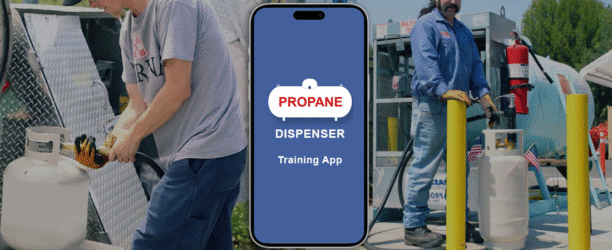
Tank Spotter has expanded its propane dispenser tools with a complete training and documentation workflow designed to help propane companies train operators, manage dispenser stations, and keep accurate records of every agreement, inspection, and completed lesson.
The Propane Dispenser Training package combines video-based training, in-app forms, and a web dashboard so managers can see exactly which operators have completed their training, which stations have been inspected, and which agreements are on file.
At the center of the program is a structured set of dispenser training videos. From the web dashboard, office users can view the full list of dispenser training videos assigned to operators under the Propane Dispenser section. These same videos appear in the Tank Spotter app when a dispenser operator logs in. Operators simply tap “Dispenser Training” to see the full list, search by title, and start the lessons that apply to their role.
Each video can be watched directly in the app. Once an operator finishes a video, the system prompts them to mark it as complete, sign, and submit the form. The completed training then moves automatically into the “Completed Training” tab in the app, and a matching record appears on the web dashboard under Propane Dispenser > Completed Trainings. Office staff can then open the record, see the video title, view the signed form, and confirm the date the training was completed. This gives propane companies a clear digital record of who has completed which dispenser training videos and when.
The training tools are supported by several dispenser-specific forms and management features that sit alongside the videos:
The Dispenser Agreement form allows dispenser managers to complete and sign an agreement with the correct company information and contact name already in place. The company contact is set up once in the account settings, then automatically appears on the agreement. Within the app, the dispenser manager reviews the terms and conditions, confirms acceptance, enters location and emergency contact details, adds signatures, and sends the completed agreement as a PDF by email back to the office. The result is a clean, signed agreement that can be stored centrally with all of the information captured in a consistent format.
The Dispenser Station Inspection form gives users a structured way to document on-site inspections. From the home screen of the app, the dispenser station inspection form can be accessed under Safety Service or through the training and dispenser management sections. The form auto-populates the current date and allows the user to search for the dispenser company and select the appropriate tank or station to inspect. Emergency contacts and other details are entered, photos can be attached to document the condition of the station, and a signature is captured at the end of the process.
The form also includes scheduling capability. Users can set a start time, end time, and job status, then assign the inspection to themselves or another team member. Once submitted and scheduled, the inspection appears on the calendar within the web dashboard, showing up under the correct date. From there, office users can view, edit, download, print, or delete the form, and they can see all comments, attached photos, signatures, and schedule information that were entered in the field. This makes dispenser station inspections traceable and easy to review.
Tank Spotter also provides tools for building and managing the personnel structure around dispenser operations. From the web dashboard, users can create new dispenser stations under Propane Dispenser > Manage Dispenser Stations by entering the station name, contact person, email, phone number, and address. Once a dispenser station is set up, companies can create a dispenser manager account through the same dashboard, assigning the correct division, station name, username, and contact details. The manager then receives login credentials and can begin overseeing operators.
From a dispenser manager account, new operator user accounts can be created directly within the app. Managers navigate to the employees section to see the list of operators they manage, then tap “Add” to create a new operator account. The company and station are already selected based on the manager’s access. The manager fills in a username, password, first and last name, email, and mobile number, then adds the operator. The new operator appears in the employees list and can begin logging into the app, accessing training videos, and completing the necessary forms.
Together, these tools provide a complete framework for dispenser training and documentation. Training videos are delivered in a controlled way, completion is tracked and signed, and related forms such as dispenser agreements and inspection checklists are built into the same system. Managers control who has access, which stations they are tied to, and which training items have been completed.
For propane companies, this means less guesswork and more structure around dispenser safety. Every step, from creating a dispenser station to assigning a manager, to enrolling operators, to recording each training and inspection, can be handled within the Tank Spotter ecosystem. The result is a clear record of training and dispenser activity that supports safety, accountability, and compliance.
For more information about Tank Spotter’s Propane Dispenser Training and dispenser management tools, contact the Tank Spotter team or visit the propane dispenser section of the web dashboard at tankspotter.com.